Built on the official Threads API

Run every Threads account you manage from one Mac app.

Write a version of each post for every account, schedule it, and see each one go through Threads’ publishing steps. Replies and insights are right next to the post.

For macOS 14 or later · in early access

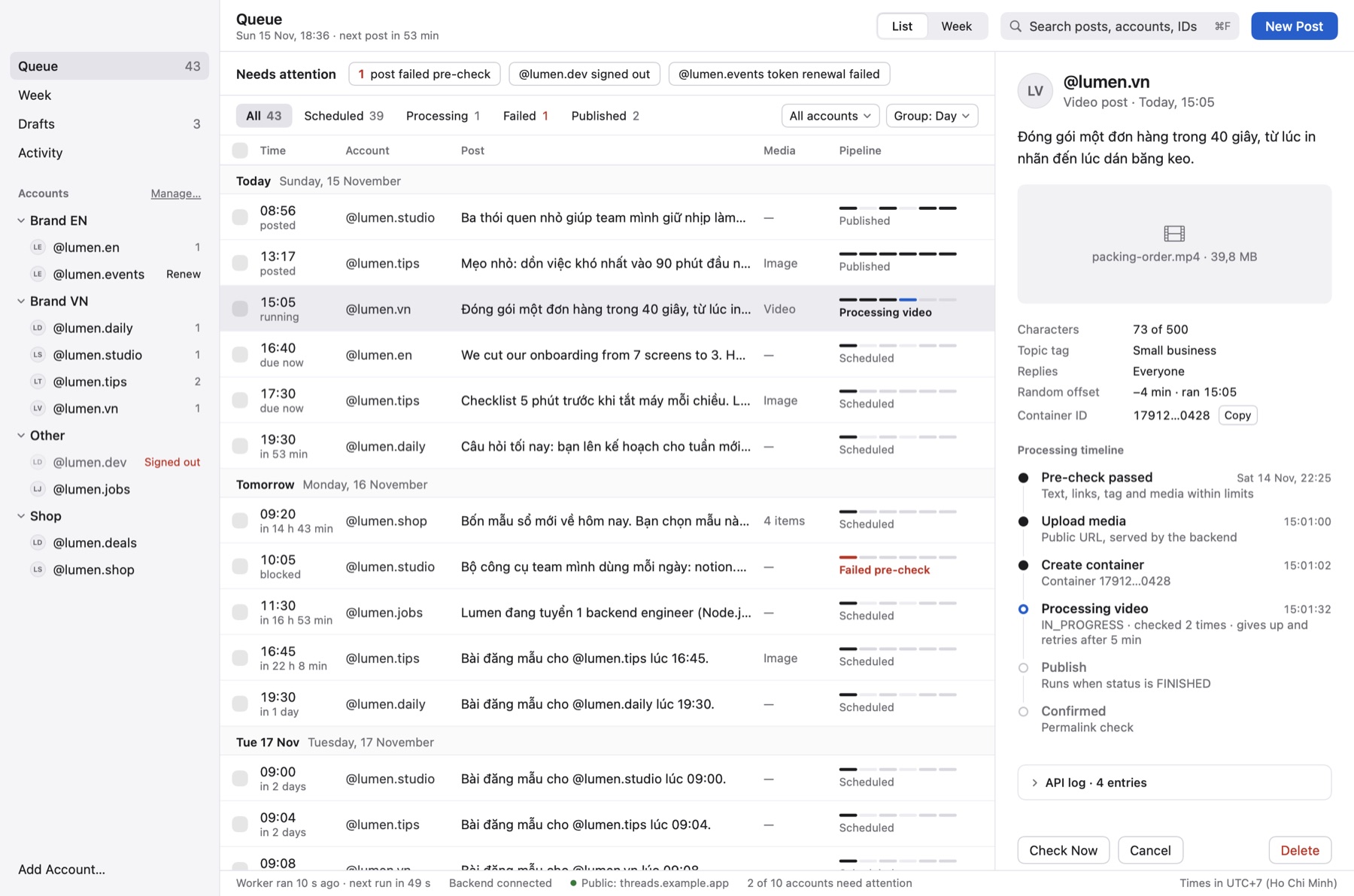
Threads Manager queue: scheduled posts grouped by day, with each post’s publishing progress and a details panel showing its timeline

The queue, shown with sample accounts.

Everything a multi-account workflow needs

Built for brands, creators and teams that publish to several Threads profiles every day.

A version for each account

Write once, then tailor the text, topic tag and media for each account’s audience before you schedule.

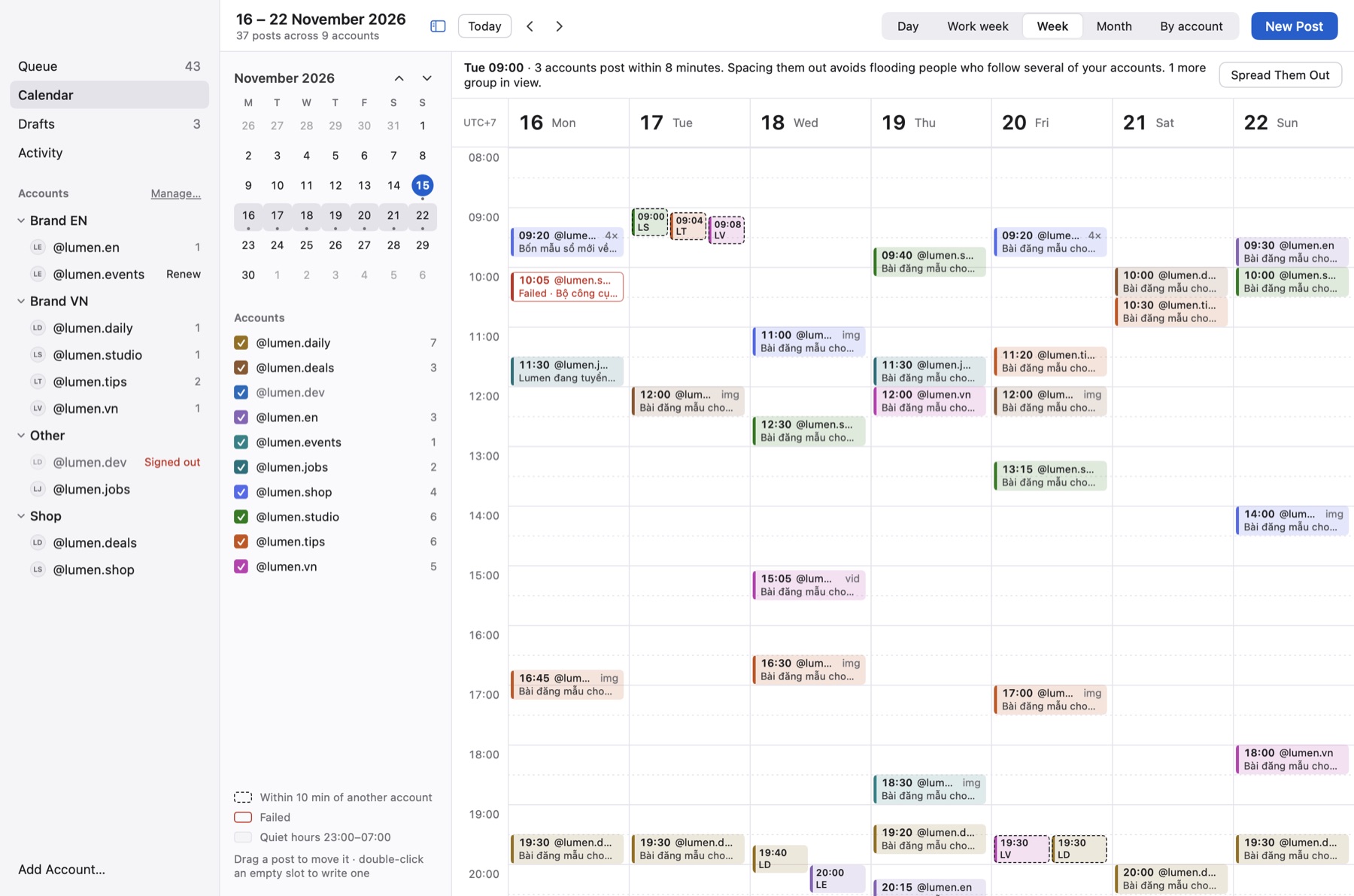
A real calendar

Day, week and month views with each account in its own color. Drag a post to reschedule it, or double-click a slot to write one.

Clear publishing status

Each post shows its steps: pre-check, media upload, processing, publish and confirmation, with the API log when you need it.

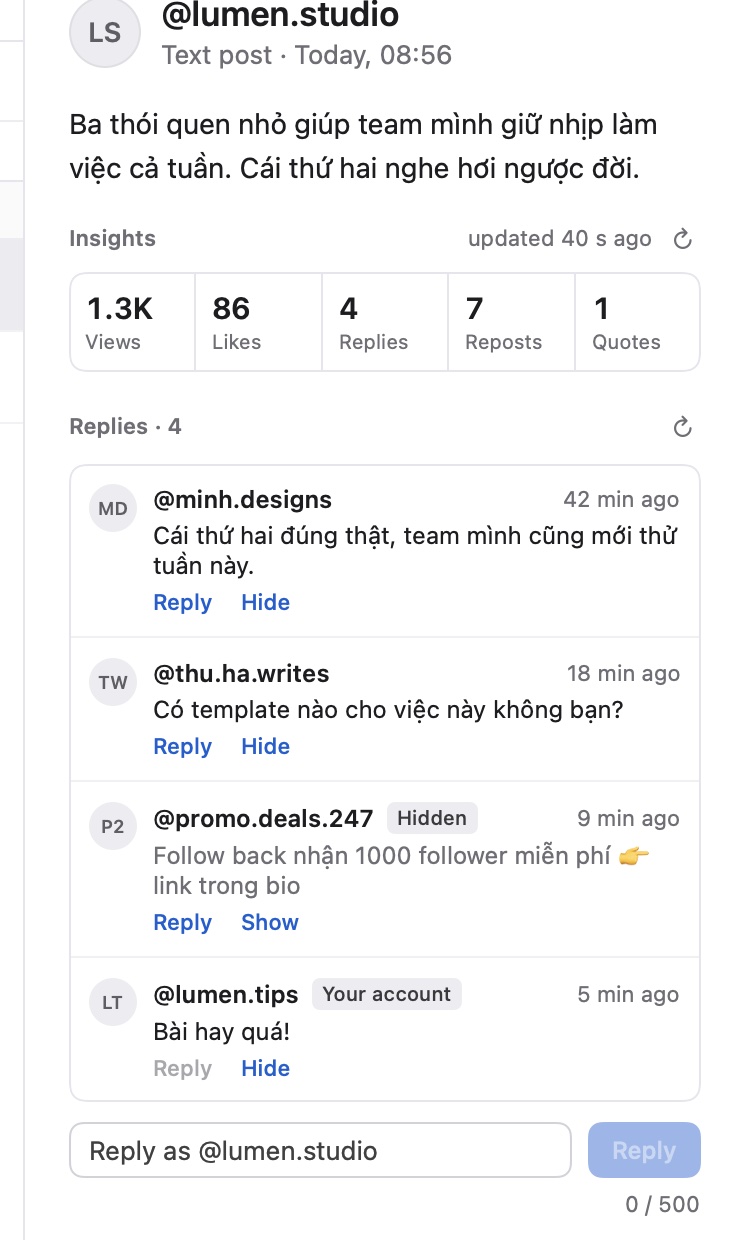
Replies in one place

Read replies to your posts, answer them as the right account, and hide the ones that don’t belong.

Insights per post and account

Views, likes, replies, reposts and quotes for each post, plus 7- and 30-day trends and followers for each account.

Posting rules

Daily limits, quiet hours and spacing between accounts, so followers of several of your accounts aren’t flooded.
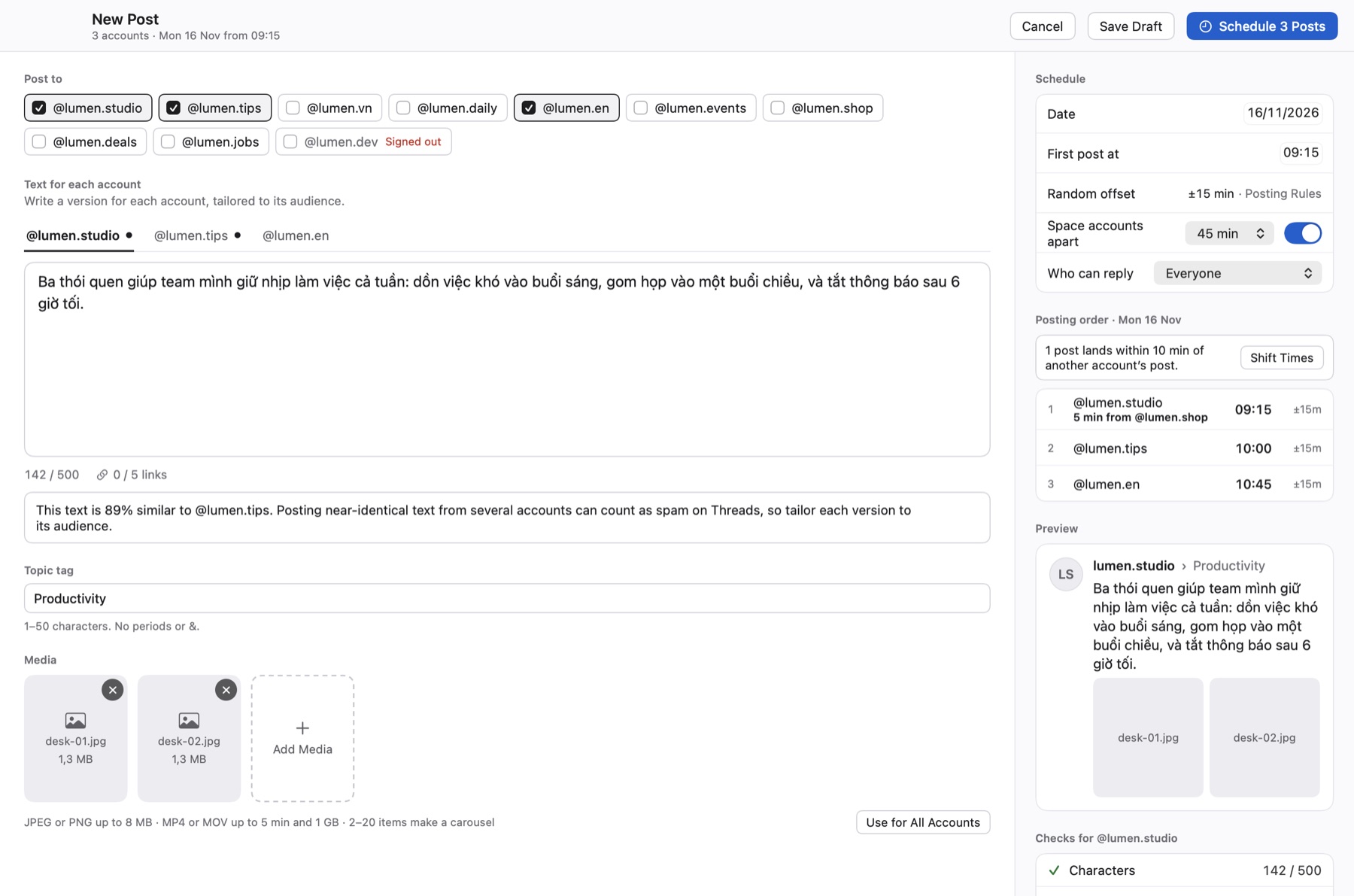
New Post: choose accounts, write a version for each, check characters, links and topic tag, and see the posting order

Write once, tailor for each audience

Pick the accounts, write a version for each, and Threads Manager checks it before it’s queued.

  • Checks the 500-character and 5-link limits, topic tags and media sizes as you type
  • Warns when two accounts’ versions are nearly identical
  • Images, videos and carousels of up to 20 items
  • Choose who can reply to each post

Stay on top of the conversation

Open any published post to see how it’s doing and what people are saying.

  • Views, likes, replies, reposts and quotes for the post
  • Reply to the post or to a specific reply, as the account that posted it
  • Hide spam and off-topic replies, and show them again any time
Post details with insights and the replies list, each reply with Reply and Hide actions
Calendar: a week on an hour grid with each account’s posts in its own color, a mini month and account toggles

The calendar: day, week and month views, shown with sample accounts.

How it works

Threads Manager uses Threads’ official sign-in and publishing API. It never asks for your password.

Step 1

Connect your accounts

Sign in to each Threads account through Threads and approve access. You can remove access from Threads settings at any time.

Step 2

Write and schedule

Write a version for each account, pick the time, and Threads Manager spaces the accounts apart if you want.

Step 3

It publishes for you

At the scheduled time, posts are published through the Threads API and confirmed. Replies and insights follow.

Your accounts stay yours

Threads Manager only does what you ask it to do with the accounts you connect.

Official API only

Everything goes through Meta’s Threads API with the permissions you approve. No scraping, no passwords.

Encrypted tokens

Access tokens are encrypted at rest with AES-256-GCM and never leave the server.

Delete any time

Disconnect in Threads settings or request deletion, and your account’s data is removed.

Want to try it?

Threads Manager is in early access for macOS. Tell us which accounts you manage and we’ll get you set up.

Request early access